Finding and Connecting to a Device
Overview
In order to use the drive, it must first be configured using WorkBench via the X20 Service Port and PC USB connections.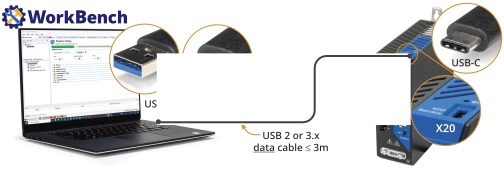
After the initial drive setup has been completed and the communication device type set, WorkBench can connect to the drive from a computer with access to the chosen EtherCAT (utilizing TwinCAT/EoE), EtherNet/IP, or PROFINET network.
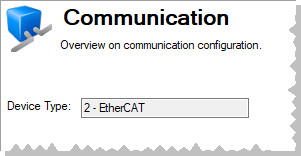
The Communication view displays the protocol used to connect to a device.
Add New Device
New devices can be added from:
- the WorkBench Start Page
- within an existing project using Device Management
Recovering Communications with a Drive at an Unreachable Address
In some cases, if the drive's address has been set incorrectly, communication is lost with the drive. If the drive becomes unreachable, connect the drive to Workbench via the X20 Service Port, restore the last saved set of working parameters, or reset the drive to it default settings and run through the Express Setup process. The B1 button (next to the X20 Service Port) may also be pressed while powering up the drive to run in recovery mode and allows for a firmware file to be downloaded through WorkBench in case the firmware in the servo drive has been corrupted.


